'/%3E%3Cpath fill='%23ffffff' transform='translate(256 256) scale(0.6) translate(-256 -256)' d='M501.1 395.7L384 278.6c-23.1-23.1-57.6-27.6-85.4-13.9L192 158.1V96L64 0 0 64l96 128h62.1l106.6 106.6c-13.6 27.8-9.2 62.3 13.9 85.4l117.1 117.1c14.6 14.6 38.2 14.6 52.7 0l52.7-52.7c14.5-14.6 14.5-38.2 0-52.7zM331.7 225c28.3 0 54.9 11 74.9 31l19.4 19.4c15.8-6.9 30.8-16.5 43.8-29.5 37.1-37.1 49.7-89.3 37.9-136.7-2.2-9-13.5-12.1-20.1-5.5l-74.4 74.4-67.9-11.3L334 98.9l74.4-74.4c6.6-6.6 3.4-17.9-5.7-20.2-47.4-11.7-99.6.9-136.6 37.9-28.5 28.5-41.9 66.1-41.2 103.6l82.1 82.1c8.1-1.9 16.5-2.9 24.7-2.9zm-103.9 82l-56.7-56.7L18.7 402.8c-25 25-25 65.5 0 90.5s65.5 25 90.5 0l123.6-123.6c-7.6-19.9-9.9-41.6-5-62.7zM64 472c-13.2 0-24-10.8-24-24 0-13.3 10.7-24 24-24s24 10.7 24 24c0 13.2-10.7 24-24 24z'/%3E%3C/svg%3E)
How to Find and Fix Broken Internal Links With Their Source Pages
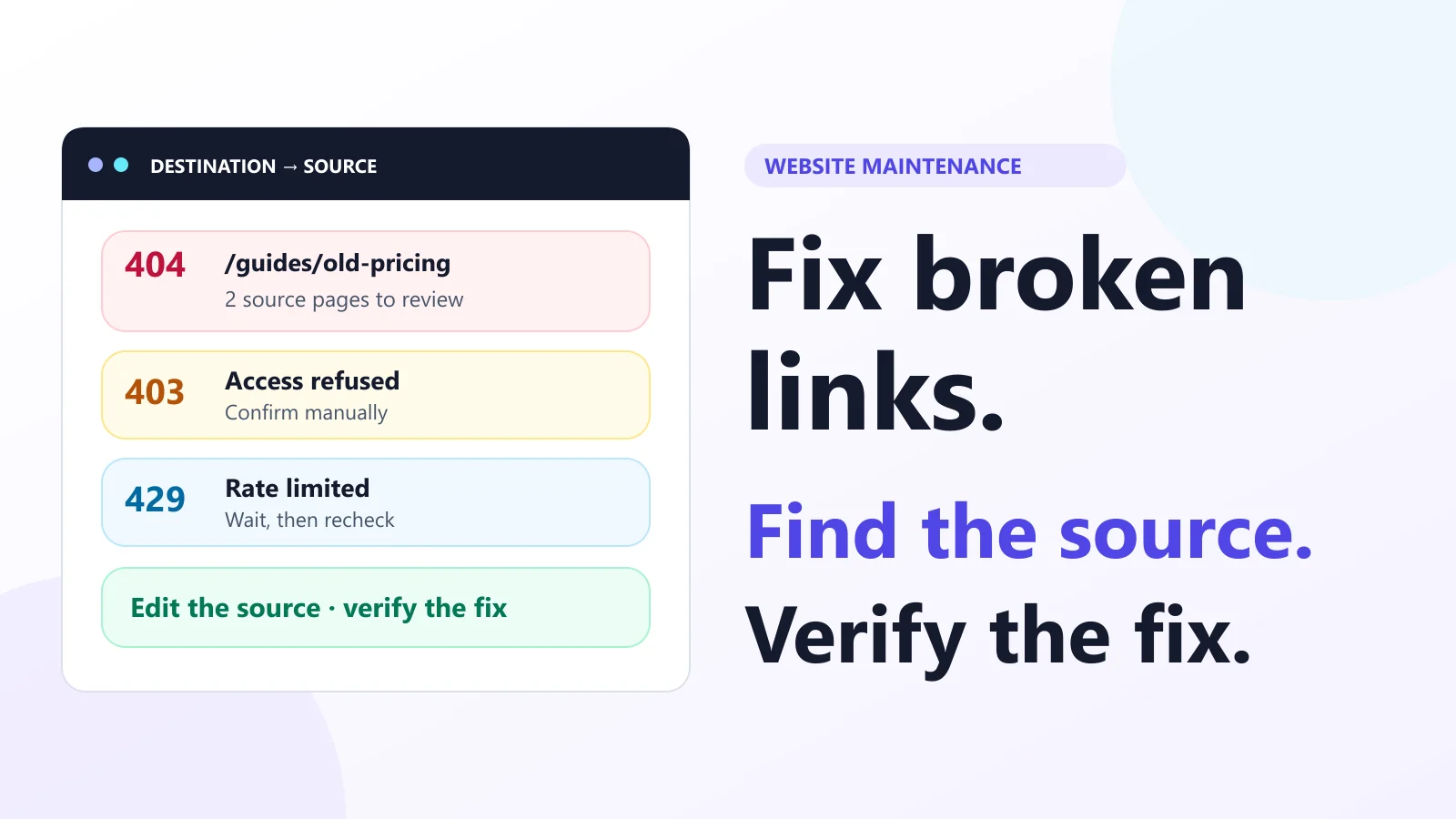
A failed URL tells you what broke. Its source tells you where to fix it.
A broken internal link is a link from one page on your site to an unavailable destination on that site. Finding the failed destination is only half the job: you need the pages, templates or menus that still point to it.
Crawl the site, confirm the response, export the source pages, update each reference, then recheck the final destination and content.
This workflow is useful after a redesign, a URL change or ordinary content cleanup. It separates a genuine missing page from a request blocked by security rules, and a source-page edit from an old-URL redirect. Protocol and Google references were reviewed on November 1, 2026.
1. Crawl the website and preserve the evidence
In the BrivTools broken link checker, choose Crawl a website and enter a public starting URL. Discovery follows the accessible same-site HTML and sitemap queue; verification then checks the discovered destinations, including external targets.
- Keep the tab open through discovery and verification, or pause within the current tab.
- Read the coverage note for skipped pages, robots.txt restrictions and failed resources.
- Filter the finished report by classification, then inspect the important internal destinations first.
- Expand each destination's source occurrences and download the report before closing or reloading the tab.
For a focused recheck, Paste URL list checks one destination per line. It does not crawl the pages that might contain those links. Choose website mode when the question is “Which page do I need to edit?”
If you need an inventory before verification, use the website URL extractor. Our URL extraction guide covers discovery methods. An extracted URL is a candidate to investigate, not proof that its destination succeeds.
2. Separate missing pages from blocked or temporary requests
Read the final status and redirect chain together. The following triage uses the meanings defined in HTTP Semantics, RFC 9110; the action column is a repair workflow, not a claim about a page's content.
| Response | Evidence | Next action |
|---|---|---|
| 404 / 410 | Server reports a missing or removed target | Check for a replacement and edit its sources |
| 301 / 308 → 200 | A permanent redirect reaches a successful response | Verify relevance, then link directly where appropriate |
| 401 / 403 | Authentication or access restriction | Confirm the intended audience and access rules |
| 429 | Request rate limited | Wait and reduce request pressure before rechecking |
| 5xx | Server failure at check time | Investigate persistent failures and retry later |
| No reliable response | For example, DNS, TLS or timeout failure | Leave unverified until independently checked |
A 429 may include a Retry-After header, as described in RFC 6585. Do not remove a useful reference simply because an automated request was rate limited. Investigate a 403 too: it might be a deliberate login boundary, a crawler restriction or a real access problem for visitors.
The checker's classification is not Google's indexing verdict. Google's status-code guidance explains how its own crawlers handle these responses. Check Googlebot access separately when search visibility is the concern.
3. Export broken links with their source pages
Consider an illustrative site where both /help/billing and /blog/launch link to /guides/old-pricing. The destination returns 404. That is one failed target but two source pages to inspect, potentially controlled by different editors.
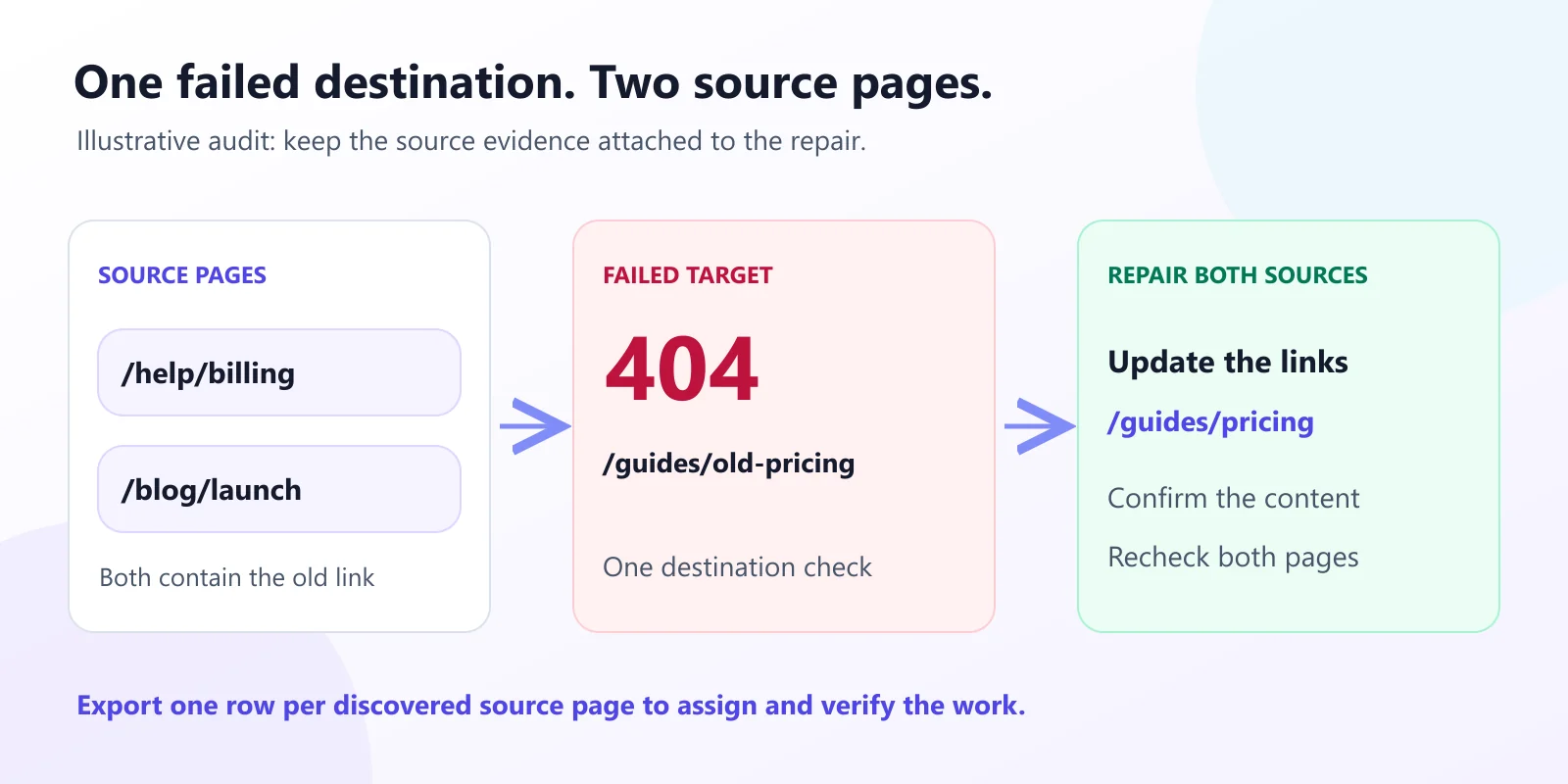
The CSV includes Target URL, Classification, Final HTTP status, Final URL, Link type, Source page, Anchor text, Redirect chain and Note. An active filter or search changes the export to the matching results. Clear those controls when you need the full report.
Sort first by target, then source page. Assign an owner and a proposed action beside each row. The checker retains discovered source pages with the first anchor label for that target on each page; it does not promise every repeated button or text occurrence within a page.
Find the component behind the source URL
If many sources show the same broken footer link, edit the shared footer rather than each article. For one article, inspect its body and related-content blocks. On a page with repeated links to the same target, check all of them before considering that source repaired.
4. Choose the fix that matches what happened
A typo or stale internal reference
Edit the source link to the intended, working destination. Check path casing, missing segments, accidental spaces and copied punctuation. A redirect is not a substitute for correcting a typo in content you control.
A page moved to a relevant replacement
Update current internal references to the final URL. If people or other websites still use the old address, keep a suitable permanent redirect from that address to the replacement. These serve different entry paths: an internal edit helps current navigation, while the redirect handles old requests.
A page was intentionally removed
Remove the obsolete reference or rewrite the surrounding text when there is no suitable replacement. Google's missing-page and soft-404 guidance supports returning 404 or 410 for unavailable content without a replacement.
For migrations, Google also warns against redirecting unrelated old URLs to a homepage. Test the actual old-to-new mapping. A redirect that ends at another missing page, a login wall or unrelated content has not restored the expected journey.
5. Verify the source, redirects and final content
Open each edited source and follow the link. Then run a fresh crawl: a successful destination check alone cannot show that an old reference disappeared from the source page.
For a quick command-line comparison, these commands use an illustrative URL. Replace it with the exact destination you are checking:
# HEAD request: inspect status and headers
curl -I "https://example.com/guides/old-pricing"

# GET request: follow redirects, discard body, print final result
curl -L -o /dev/null -sS -w "%{http_code} %{url_effective}\n" "https://example.com/guides/old-pricing"
Shell example for macOS/Linux. In Windows PowerShell, use curl.exe and replace /dev/null with NUL; put the GET command on one line.
HEAD avoids retrieving the response body, but real servers do not always handle it consistently. Compare a GET when an important result is ambiguous. Do not treat a changed method as a way to bypass authentication or site access controls.
Read the final page too. A status-only check cannot establish whether a pricing article contains pricing, whether a product is the correct variant, or whether a #section fragment exists. Confirm relevant canonical and sitemap entries after a permanent URL change; our sitemap troubleshooting guide covers that separate file check.
6. Understand what the crawl can miss
BrivTools reads server HTML rather than running an interactive browser. Links created only by client-side JavaScript, hidden behind a login or exposed after a click can be absent. A page with no discoverable incoming path and no sitemap entry can also remain outside the crawl.
Use the sitemap finder to identify published inventories when relevant. An inventory expands candidates; it does not establish that every page was accessible or linked from current navigation.
Google can render JavaScript under its own crawling pipeline, so a server-HTML checker's coverage is not identical to Googlebot's. Google's crawlable-link recommendations explain the role of real anchor elements with resolvable href values.
Keep access failures, skipped resources, fragment checks and content checks in the final work list. “No broken targets found in this run” describes the tested scope; it does not certify every path on the website.
7. Keep a small, repeatable repair record
Save the original report, the chosen action, the owner and the recheck date. Start with links that block important tasks or occur in shared navigation, then review less-used references. Your own analytics and Search Console data can help prioritize; the number of HTTP errors alone cannot establish business impact.
Run the same process after publishing a batch of URL changes or replacing a menu. Recheck intermittent failures later rather than silently treating them as repaired. Crawling and indexing are separate questions: our discovered-but-not-indexed guide explains why fixing navigation does not guarantee inclusion in search results.
Frequently asked questions
How do I find the page that contains a broken link?+
In BrivTools, website mode retains each discovered source page and the first anchor label found for that target on that page. Pasting a destination list cannot reconstruct where the links appeared.
Is a 403 or 429 response always a broken link?+
Confirm important findings in a normal browser and inspect the server or CDN rules if you control the destination. A restriction affecting real visitors still needs a fix; an automated checker and Googlebot may receive different responses.
Should I redirect every 404 to my homepage?+
If content is permanently removed without a suitable replacement, remove or rewrite internal references and let the missing destination return an appropriate error status. Do not invent a destination merely to make a report look clean.
Why does my browser open a URL that the checker flags?+
Compare the exact URL, final destination, request method and timing. BrivTools normally uses HEAD, with a bounded GET fallback when the server rejects HEAD with 405 or 501; other ambiguous responses still need review.
Does HTTP 200 prove that a link works correctly?+
A page can show an error message with status 200, redirect to an unrelated page, or lack the section identified by a fragment. BrivTools does not evaluate soft-404 content or fragment targets, so inspect important user journeys separately.
Why does Search Console show a missing URL that my crawl did not find?+
Check the exact URL and its history. An old missing URL with no current internal references is a different task from a live navigation link pointing to a missing page. A sitemap or URL inventory can help expand the investigation.
Start with one important broken path
Choose a confirmed missing internal destination, identify every discovered source and decide what a visitor should reach instead. Edit those sources, add a relevant old-URL redirect if needed, and verify the final content. That gives you a complete repair you can repeat across the report.
Build a source-page edit list
Check public destinations and export the source evidence needed to assign each repair.
Open Broken Link Checker