'/%3E%3Cpath fill='%23ffffff' transform='translate(256 256) scale(0.6) translate(-256 -256)' d='M501.1 395.7L384 278.6c-23.1-23.1-57.6-27.6-85.4-13.9L192 158.1V96L64 0 0 64l96 128h62.1l106.6 106.6c-13.6 27.8-9.2 62.3 13.9 85.4l117.1 117.1c14.6 14.6 38.2 14.6 52.7 0l52.7-52.7c14.5-14.6 14.5-38.2 0-52.7zM331.7 225c28.3 0 54.9 11 74.9 31l19.4 19.4c15.8-6.9 30.8-16.5 43.8-29.5 37.1-37.1 49.7-89.3 37.9-136.7-2.2-9-13.5-12.1-20.1-5.5l-74.4 74.4-67.9-11.3L334 98.9l74.4-74.4c6.6-6.6 3.4-17.9-5.7-20.2-47.4-11.7-99.6.9-136.6 37.9-28.5 28.5-41.9 66.1-41.2 103.6l82.1 82.1c8.1-1.9 16.5-2.9 24.7-2.9zm-103.9 82l-56.7-56.7L18.7 402.8c-25 25-25 65.5 0 90.5s65.5 25 90.5 0l123.6-123.6c-7.6-19.9-9.9-41.6-5-62.7zM64 472c-13.2 0-24-10.8-24-24 0-13.3 10.7-24 24-24s24 10.7 24 24c0 13.2-10.7 24-24 24z'/%3E%3C/svg%3E)
Image Aspect Ratios Explained: 16:9, 4:3, 1:1 & Social Media Size Cheat Sheet
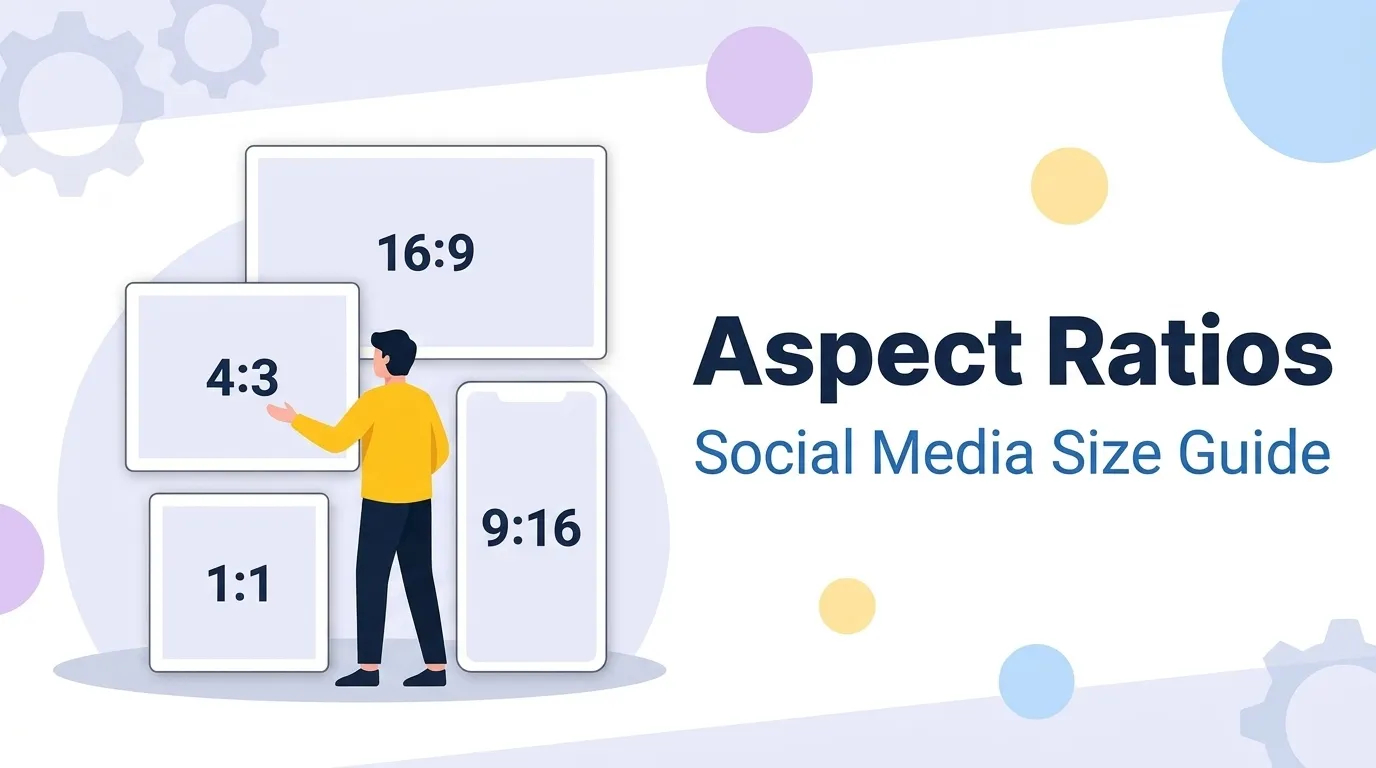
Upload a wide landscape photo to an Instagram feed and the top and bottom survive while the sides vanish. Use a square avatar where a banner belongs and it sits marooned in empty space. Neither is a bug — it is aspect ratio at work. Aspect ratio is the proportion between an image's width and height, and because every screen, frame, and platform slot has its own expected proportion, understanding it is what stops your images from being auto-cropped, letterboxed, or stretched into distortion.
1. How Aspect Ratio Works: Reading and Simplifying W:H
An aspect ratio is written as width:height. To find the ratio of any image, divide both pixel dimensions by their greatest common divisor (GCD) until no whole number divides both. A 1920×1080 image has a GCD of 120; dividing gives 16:9. A 1080×1080 image reduces to 1:1.
That reduction is exactly what an aspect ratio calculator does instantly — and it is why two images with wildly different pixel counts can still share one ratio and fit the same frame perfectly.
2. The Common Ratios and Where Each Is Used
| Ratio | Shape | Primary Uses |
|---|---|---|
| 16:9 | Wide landscape | Video, YouTube, monitors, TVs, presentations |
| 4:3 | Classic landscape | Older cameras, tablets, some slide decks |
| 3:2 | Photo landscape | DSLR/mirrorless photography, standard prints |
| 1:1 | Square | Avatars, profile photos, product tiles |
| 4:5 | Tall portrait | Instagram/Facebook feed — fills more phone screen |
| 9:16 | Full vertical | Stories, Reels, Shorts, TikTok |
| 21:9 | Ultrawide | Cinematic video, ultrawide monitors |
3. The Resize Formula: New Dimension Without Distortion
The most common real task is: "I need this image to be X pixels wide — how tall should it be so it does not stretch?" Lock the ratio and solve for the unknown side:
The same relationship solves the reverse (find the width for a known height). The rule to internalize: never set both dimensions independently — fix one, derive the other, and proportions stay intact. The Image Aspect Ratio Calculator does this live as you type.
5. Crop, Scale, or Letterbox: Changing Ratio Safely
When an image's ratio does not match its destination, you have three honest options — and one you should never take.
Resize proportionally to fit when the ratios already match. Safe — no subject distortion.
Trim edges to reach the target ratio. Loses content but keeps the subject's true proportions.
Add padding bars to fit the whole image into a different ratio with nothing cropped.
Never stretch to fit. Forcing an image into the wrong ratio by scaling width and height unequally distorts faces and circles into ovals — the one transformation viewers instantly notice. Crop with the Image Cropper instead.
6. Frequently Asked Questions
What does an aspect ratio like 16:9 actually mean?+
Because it is a proportion, not a size, two images with identical aspect ratios fit the same frame without cropping or bars, even if one is far higher resolution than the other.
How do I calculate a new width or height while keeping the same ratio?+
This keeps the proportions locked so the image never stretches. An aspect ratio calculator automates it: enter the original dimensions and one new value, and it solves for the other.
What is the best all-round image size for social media in 2026?+
For video-style vertical content — Stories, Reels, Shorts, TikTok — use 1080 × 1920 (9:16). For horizontal content like YouTube thumbnails, use 1280 × 720 (16:9). When in doubt, design to 4:5 and export variants.
Why does my image look stretched or squished after resizing?+
If you need to fit an image into a frame of a different ratio, do not stretch it — crop to the target ratio (losing some edges) or add padding/letterbox bars (keeping the whole image). Both preserve the subject's true proportions.
Calculate Any Aspect Ratio or Resize Without Distortion
Enter any width and height to simplify the ratio, or lock the proportion and solve for a new dimension in one step. Fast, free, and runs entirely in your browser.
4. 2026 Social Media Image Size Cheat Sheet
Platforms publish recommended pixel dimensions, but every one reduces to a familiar ratio. These are the current go-to sizes:
If you only remember one size: design to 1080 × 1350 (4:5). It is prioritized in Meta feeds, displays well on LinkedIn and X, and crops cleanly to square when needed.