'/%3E%3Cpath fill='%23ffffff' transform='translate(256 256) scale(0.6) translate(-256 -256)' d='M501.1 395.7L384 278.6c-23.1-23.1-57.6-27.6-85.4-13.9L192 158.1V96L64 0 0 64l96 128h62.1l106.6 106.6c-13.6 27.8-9.2 62.3 13.9 85.4l117.1 117.1c14.6 14.6 38.2 14.6 52.7 0l52.7-52.7c14.5-14.6 14.5-38.2 0-52.7zM331.7 225c28.3 0 54.9 11 74.9 31l19.4 19.4c15.8-6.9 30.8-16.5 43.8-29.5 37.1-37.1 49.7-89.3 37.9-136.7-2.2-9-13.5-12.1-20.1-5.5l-74.4 74.4-67.9-11.3L334 98.9l74.4-74.4c6.6-6.6 3.4-17.9-5.7-20.2-47.4-11.7-99.6.9-136.6 37.9-28.5 28.5-41.9 66.1-41.2 103.6l82.1 82.1c8.1-1.9 16.5-2.9 24.7-2.9zm-103.9 82l-56.7-56.7L18.7 402.8c-25 25-25 65.5 0 90.5s65.5 25 90.5 0l123.6-123.6c-7.6-19.9-9.9-41.6-5-62.7zM64 472c-13.2 0-24-10.8-24-24 0-13.3 10.7-24 24-24s24 10.7 24 24c0 13.2-10.7 24-24 24z'/%3E%3C/svg%3E)
PDF to JSON Extraction: Spatial Coordinates, Bounding Boxes & Document Parsing Architecture
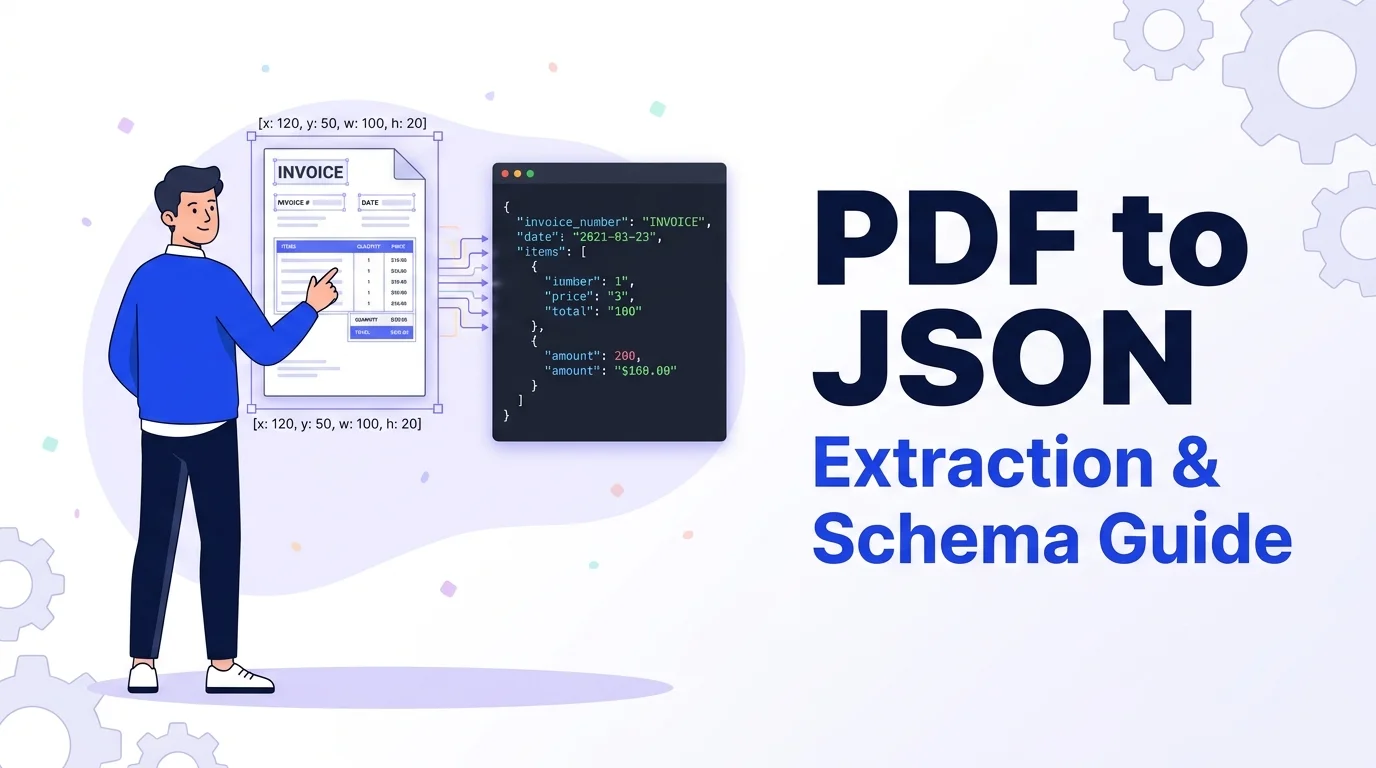
Standardized under ISO 32000, the Portable Document Format (PDF) was engineered as a digital printing canvas rather than a semantic data structure. Inside a PDF stream, text does not exist as flowing paragraphs or tabular matrices; instead, it is stored as isolated, coordinate-positioned glyph instructions. When standard command-line tools or basic scripts extract raw text, they discard 2D coordinates—flattening multi-column financial statements and itemized invoices into scrambled strings.
x, y, width, and height attributes allows data engines to mathematically reconstruct rows, columns, and data key-value pairs.1. Inside ISO 32000: Digitally Born Character Streams vs. Scanned Raster PDFs
Before designing an automated document ingestion pipeline, developers must distinguish between the two fundamental types of PDF files encountered in production:
Generated programmatically by ERP software, billing engines, or headless browser rendering. These contain embedded font dictionaries, glyph mappings, and vector drawing operators. Character stream parsing extracts high-precision text and bounding boxes deterministically.
Created by physical office scanners or smartphone photography. The document contains only compressed pixel bitmaps (/DCTDecode or /CCITTFaxDecode). Extracting text requires Optical Character Recognition (OCR) rather than character stream parsing.
2. Font Encodings, Unicode Mappings & Ligature Decoding
Even digitally born PDFs can emit garbled text if the parser fails to interpret embedded /ToUnicode mapping CMaps. PDFs frequently use custom subset fonts where glyph index 0x01 represents the letter "e".
Furthermore, professional typographic documents replace letter pairs like fi, fl, and ffi with unified typographic ligatures. Robust extraction engines map these composite glyphs back to standard UTF-8 characters ("fi" → "f" + "i") so downstream search engines and database queries match expected strings.
3. Anatomy of a Coordinate-Aware PDF to JSON Schema (RFC 8259)
Rather than outputting an unstructured array of strings, a production-grade schema structures document data into metadata, page viewports, and bounded text fragments. The BrivTools PDF to JSON Converter produces compliant RFC 8259 output ready for database ingestion:
{
  "metadata": {
    "fileName": "enterprise-invoice-q3.pdf",
    "fileSizeBytes": 148920,
    "mimeType": "application/pdf",
    "pageCount": 1,
    "documentInfo": {
      "title": "Invoice #INV-2026-089",
      "producer": "BillingEngine v4.2"
    }
  },
  "pages": [
    {
      "pageNumber": 1,
      "viewport": { "width": 612, "height": 792 },
      "textItems": [
        { "text": "Item Description", "x": 54.0, "y": 620.5, "width": 88.4, "height": 11.0, "fontSize": 11.0 },
        { "text": "Qty", "x": 380.0, "y": 620.5, "width": 19.2, "height": 11.0, "fontSize": 11.0 },
        { "text": "Line Total", "x": 495.0, "y": 620.5, "width": 52.1, "height": 11.0, "fontSize": 11.0 },
        { "text": "Dedicated Cloud Cluster", "x": 54.0, "y": 598.0, "width": 112.6, "height": 10.0, "fontSize": 10.0 },
        { "text": "2", "x": 380.0, "y": 598.0, "width": 6.1, "height": 10.0, "fontSize": 10.0 },
        { "text": "$2,400.00", "x": 495.0, "y": 598.0, "width": 48.3, "height": 10.0, "fontSize": 10.0 }
      ]
    }
  ]
}
4. Reconstructing Multi-Column Tables from Spatial Bounding Boxes
With individual bounding boxes captured, reconstructing table rows becomes a deterministic clustering problem. Because typographical baselines can drift slightly, items with matching y coordinates within a small vertical tolerance (±2 points) belong to the same row:
- Group by Y-Tolerance: Cluster fragments whose vertical positions fall within
|y1 - y2| ≤ 2.0 ptinto unified table rows. - Sort Horizontally: Order all elements within a clustered row by their
xcoordinate from left to right. - Assign Column Buckets: Match
xpositions against header coordinates to map each cell to its column header ("Qty", "Line Total").
5. Choosing the Right Output: PDF to JSON vs. Markdown vs. Plain Text
Selecting the right extraction format depends entirely on your downstream processing architecture:
| Extraction Target | Primary Use Case | Spatial Data Preserved | Ideal Processing Engine |
|---|---|---|---|
| PDF to JSON | ETL jobs, invoices, database JSONB storage | Yes (x, y, w, h, font size) | PostgreSQL, Python, Node.js ETL |
| PDF to Markdown | LLM embeddings, RAG ingestion pipelines | Semantic (#, ##, pipe tables) | Vector DBs, LangChain, LlamaIndex |
| PDF Plain Text | Full-text search indexing, word counts | None (linear stream) | Elasticsearch, Grep, Word Count |
For RAG vector pipelines requiring header chunking, explore our companion specification on PDF to Markdown for LLM RAG pipelines or use our raw PDF Text Extractor.
6. Frequently Asked Questions
How does PDF to JSON preserve table columns and spatial layouts?+
Standard text extractors discard the PDF coordinate matrix, reading characters in stream order. Because PDFs store text as positioned glyph commands rather than reading paragraphs, multi-column tables become jumbled strings. An RFC 8259 JSON schema records typographical points (where 1 pt = 1/72 inch) for each word, allowing post-processors to sort tokens into horizontal rows and vertical columns with strict mathematical tolerance.
Why does PDF text extraction return empty text on scanned documents?+
Unless a scanned document has undergone Optical Character Recognition (OCR) to inject an invisible 'hidden text layer', the PDF file contains only binary bitmap streams (DCTDecode JPEG or CCITTFaxDecode). PDF-to-JSON parsers inspect vector character operations; if no font glyph mappings exist in the page dictionary, the text payload is empty.
What is the key difference between PDF to JSON and PDF to Markdown?+
PDF to JSON is engineered for programmatic ETL pipelines, PostgreSQL JSONB storage, and deterministic data extraction from forms and invoices. PDF to Markdown translates visual layout into semantic hierarchy (#, ##, pipe tables) optimized for LLM token limits and Retrieval-Augmented Generation (RAG).
Can password-protected PDFs be converted to JSON in the browser?+
PDF security defines two password types: User Passwords (which prevent opening the document) and Owner Passwords (which restrict permissions like printing or text extraction). Modern client-side WebAssembly tools can decrypt files locally in browser RAM once the appropriate credential is provided.
Convert PDF Documents to Structured JSON Instantly
Extract coordinate-aware text items, bounding boxes, font sizes, and document metadata locally inside your browser with zero server uploads.